You spent hours recording a product demo. You captured the workflow, explained the features, and hit publish. Then the audience data comes back and the pattern is familiar. People start, skim, and leave before the payoff.
Most of the time, the product isn’t the issue. The recording process is. Casual screen captures tend to keep every pause, every restart, every side comment, and every moment where the cursor searches for the right button. That raw material often runs far longer than the finished explanation ever needed to.
That gap matters because viewers don’t experience your intent. They experience pacing. They feel friction when the demo circles around the point, shows too many features, or sounds like someone reading release notes over a screen share. In practice, that’s why product demos, feature release videos, customer onboarding clips, help-center videos, support article videos, internal training, SOPs, and sales enablement walkthroughs so often underperform even when the underlying information is solid.
Modern product demo best practices are less about becoming a video editor and more about designing a cleaner knowledge capture workflow. Record once. Tighten the story. focus the screen. reuse the same source for documentation and localization. Tools like Tutorial AI are built around that model, turning one screen recording and spoken narration into a polished tutorial video and a matching written article, so teams can ship both formats together instead of duplicating effort.
The ten practices below are the ones that consistently separate demos people finish from demos people abandon.
1. Start with a Clear Objective and Audience Definition
A demo without a sharply defined outcome usually turns into a tour. Tours feel thorough to the creator and scattered to the viewer. The fix is simple. Decide what the audience should be able to do, understand, or believe by the end, then cut everything that doesn’t serve that result.
Reprise found that 66% of sales professionals prioritize story-driven data and realism in a strong demo environment. That matters because buyers don’t want a polished feature parade detached from their actual problem. They respond better when the demo frames a clear before state, shows a small number of important workflows, and lands on the after state.
Write the goal in one sentence
A useful planning sentence sounds like this: “Show a new admin how to complete first login and invite a teammate,” or “Show a prospect how the workflow reduces handoff errors in approvals.” That gives your script a spine.
Bosch and Microsoft are good examples of the right instinct here. Large teams rarely get value from one monolithic walkthrough. They produce focused demos for different roles and use cases because a support user, a buyer, and an internal trainer don’t need the same story.

A few planning habits help:
- Define one primary action: Decide the single outcome the viewer should reach after watching.
- List key takeaways: Keep the retention goal narrow. Three to five ideas is usually enough.
- Test with a non-expert: If someone unfamiliar with the workflow can’t explain the point back to you, the demo still isn’t focused.
- Split long workflows: If the path includes setup, usage, reporting, and admin control, that’s probably multiple demos.
Practical rule: If your outline contains “and also” more than once, you’re probably combining separate demos that should be recorded and published independently.
2. Record in Real Time with Minimal Pauses and Retakes
Raw recordings often get bloated before editing even starts. That’s one reason demos feel slow. Casual screen recorders preserve every hesitation, and recordings routinely run 50% to 100% longer than necessary when people ramble, pause, or repeat themselves. The smartest move is to produce cleaner source material first, not to hope heavy editing will rescue a messy take.
That doesn’t mean recording everything in one perfect pass. In fact, professional editors usually don’t. Guidance from Ngram’s screen recording workflow recommends capturing in 5 to 10 minute segments and stopping, not pausing, when mistakes happen so you preserve clean footage for editing.
Clean source material beats heroic post-production
This is one of the biggest trade-offs in product demo best practices. Fast recording feels efficient in the moment, but dirty footage creates work later. If the cursor wanders, the narration loses sync, or notifications pop into frame, you either live with a weak demo or spend more time repairing it.
For teams that don’t want to learn Adobe Premiere Pro, Camtasia, or Final Cut, an automated workflow helps. Tutorial AI can tighten pacing after the fact with AutoRetime and script-based editing, but it still works best when the original recording is deliberate and clean.

Use a pre-recording routine that removes obvious failure points:
- Run a dry pass: Click through the exact path once without recording.
- Clear the desktop: Close extra tabs, mute alerts, and remove anything sensitive from view.
- Stop on mistakes: Don’t leave long paused sections in the source file if you can avoid it.
- Speak while acting: Keep narration aligned with on-screen movement so pacing stays natural.
Intesa Sanpaolo is the kind of organization that benefits from this discipline. If one clean source recording can be reused and localized, every improvement you make upstream pays off across every downstream version.
3. Use a Conversational, Natural Narration Style
A common failure looks like this. The screen recording is clean, the workflow is correct, and the narration still makes the demo feel harder than the product really is. Usually the problem is tone. The speaker sounds like they are reading at the viewer instead of guiding them through a task.
For product demos, natural narration improves comprehension because it reduces translation work for the audience. People should be able to follow the workflow and the explanation at the same time. If the wording is stiff, overloaded with product language, or written for the page instead of the ear, attention splits.
Talk like a smart colleague
The best demo scripts are written to be spoken, then lightly edited by ear. That is the practical middle ground. Full improvisation often creates repetition and drift. Fully locked scripts often flatten emphasis and timing.
I usually advise subject-matter experts to record from a tight outline or a short script, then clean up phrasing in an AI-assisted editor instead of chasing a perfect studio read. That workflow fits teams who know the product well but do not want to spend hours in professional video software. You keep the credibility of a real operator and still get a polished result.
Deutsche Bahn’s internal training style is a useful reference point here. Training content works best when the speaker sounds clear, calm, and specific. Formal language slows people down because they have to decode the wording before they can act on it.
A few habits make a visible difference:
- Write for speech: Read the line out loud before you keep it. If you stumble, rewrite it.
- Use direct verbs: “Open,” “click,” “review,” and “save” are easier to follow than inflated phrasing.
- Explain terms once: Introduce product-specific language plainly, then move on.
- Address the viewer directly: “You’ll see the approval queue here” is clearer than “The approval queue can be viewed here.”
- Match sentence length to the action: Short instructions work better during clicks and transitions. Slightly longer lines fit context and explanation.
One more trade-off matters. Natural does not mean casual to the point of being loose. Fillers, side comments, and extra setup can make a demo feel authentic, but they also slow pacing and create more cleanup work later. The goal is controlled informality.
Speak to one person who needs to complete a task. That framing usually fixes tone faster than any voice coaching.
Tutorial AI helps here because narration and edit decisions can stay connected. If the wording feels too formal after a first pass, you can revise the script, regenerate polished voiceover, and update the demo without rebuilding a timeline by hand. That is a useful bridge between basic screen recording and full video production, especially for teams producing repeatable demos across products, segments, or languages.
4. Highlight Key Elements and Control Visual Focus
A viewer pauses your demo at 0:18 because the screen is busy and the spoken instruction arrives half a second before the cursor does. That small mismatch breaks comprehension fast. In product demos, visual focus is part of the instruction, not a cosmetic layer.
Reduce search time on screen
Every second spent scanning the interface is a second the viewer is not following the task. Good demo editing removes that search. The screen should answer one question at a time: what should I look at right now?
That usually means adding emphasis after recording, not trying to perform perfect cursor choreography live. Subject-matter experts rarely want to re-record a solid walkthrough because one click landed slightly off target or a key field looked too small on playback. An AI-assisted workflow closes that gap well. You can record naturally, then add highlights, zoom, blur, and cursor polish afterward without opening a complex timeline editor.
A practical visual system looks like this:
- One focal point at a time: Highlight the active control only.
- Clear entry and exit: Bring attention in when the action starts, then remove it when the step ends.
- Zoom for legibility, not drama: Magnify dense areas only when labels, values, or menus are hard to read.
- Consistent cues: Use the same highlight color, cursor treatment, and motion style across the demo.
- Privacy review before publish: Blur names, emails, account details, and API keys.
The trade-off is restraint. If every field pulses, every click zooms, and every panel gets a glow, the viewer has to decode your editing instead of the product. Strong visual guidance feels quiet. It narrows attention without calling attention to itself.
This also affects script decisions. If the screen is crowded, shorten the line and pair it with a single visual cue. If the step needs more explanation, hold the frame steady and keep motion off the screen. Teams that plan those choices earlier usually get cleaner results, which is why a script-first video workflow for product demos tends to improve both narration and on-screen focus.
Tutorial AI is useful here for a practical reason. Product marketers, solutions engineers, and technical writers can fix focus problems after capture with cursor effects, smart zooms, highlights, backgrounds, shadows, and blur tools. That gives experts who know the product a way to produce polished demos without handing every revision to a video editor.
5. Script as You Would Edit, Write, Rewrite, and Refine Before Finalizing
The best demo scripts are rarely the first scripts. They’re the result of tightening. Remove filler. simplify transitions. cut repeated setup. turn vague narration into direct instruction.
Many teams encounter difficulties with traditional editors. In Adobe Premiere Pro or Camtasia, changing a sentence can trigger voiceover edits, caption corrections, timing changes, and screen alignment work. That’s why experts who know the product often hand off the job to video specialists. The handoff slows everything down.
Edit the script, not the timeline
A document-style workflow is better for product teams and technical writers. Tutorial AI lets you revise the spoken text and update the voiceover, captions, and pacing from that script layer. If your team wants a deeper writing process for this kind of workflow, Tutorial AI’s guide to script writing for video is a useful starting point.
Microsoft is a strong example of why this matters. Large support and documentation teams need consistency between the spoken demo and the written explanation. A script-first process makes that realistic because both outputs can stay aligned as the language evolves.
Try this refinement cycle:
- Wait before editing: Review the transcript with fresh eyes instead of immediately after recording.
- Cut anything you’d never say aloud: Written clarity and spoken clarity aren’t always the same.
- Replace jargon with task language: Show what the user does, not just what the feature is called.
- Invite peer review: Product, support, and enablement teammates often catch unclear wording quickly.
Editorial shortcut: If a sentence explains the same idea twice, keep the clearer half and delete the rest.
This is also where Tutorial AI sits between Loom-style recorders and pro editing suites. Loom captures quickly, but recordings often keep the rough edges. Pro tools can polish everything, but they assume editing skill. A script-edit workflow gives subject-matter experts a third option.
6. Plan for Multilingual and Global Audiences from the Start
If you know the demo will be used across regions, don’t treat translation like a final export step. The source narration, script structure, pacing, and terminology all affect how well the content localizes.
Tutorial AI supports narration in 74 languages and can re-time scenes with AutoRetime when translated voiceovers expand or contract. That’s important because localized versions rarely match the original timing exactly. A good global workflow expects that variation instead of fighting it.
Build for translation before you record
Clear speech and plain syntax travel better. Fast jokes, idioms, and region-specific references usually don’t. Neither do overloaded screens where the spoken explanation already feels rushed in the source language.
For organizations like UNICEF and Deutsche Bahn, consistency across regions matters as much as speed. A single recording that can become localized video and matching documentation is more useful than a stack of separate one-off assets that drift apart over time.
A few localization habits prevent rework:
- Use neutral phrasing: Avoid slang, idioms, and pop-culture references.
- Slow down slightly: Give translated voiceovers room without forcing rushed cuts.
- Keep sentence structure simple: Short, direct syntax is easier to translate accurately.
- Review with native speakers: Local fluency still matters, especially for support and training content.
If your team is building a repeatable localization process, Tutorial AI’s video translator workflow is relevant, and RapidNative’s app localization insights are a useful companion for terminology and rollout planning.
There’s also an operational upside here. When one source recording feeds many language versions through the same system, your support, onboarding, and enablement teams work from one approved narrative instead of maintaining parallel copies.
7. Generate Documentation Alongside Video to Maximize Content Reuse
A strong demo should not live only as a video file. Many users would rather skim steps than watch a full walkthrough, especially in support and onboarding contexts. If the team records a demo once and then writes the article from scratch later, that’s duplicated work and a common source of inconsistency.
Tutorial AI’s workflow addresses this directly. One screen recording and spoken narration can become both a polished tutorial video and a written article generated from the same source material. For teams managing help centers, SOPs, internal training, and support article videos, that’s one of the most practical shifts available right now.
Treat the recording as source content
This is a mindset change. You’re not just making a video. You’re capturing operational knowledge that can be published in more than one format. That makes naming, sequencing, and verbal clarity much more important during recording because the same decisions shape the article later.
Support teams and technical writers benefit most from this. A paired video and article lets one user watch the fix while another jumps to the exact step they need. It also helps your team keep product updates aligned because there is one authoritative source recording behind both assets.
A few working rules make document generation cleaner:
- Describe actions explicitly: Say “Click Save” instead of relying on implied screen context.
- Use consistent UI names: Don’t call the same control by different names in the same demo.
- Polish the generated draft: Clean up phrasing, formatting, and any missing explanatory context.
- Publish both formats together: Give users the choice to watch or read on the same page.
If documentation is a core part of your workflow, Tutorial AI’s AI documentation workflow shows how to turn one recording into reusable written assets without rebuilding everything manually.
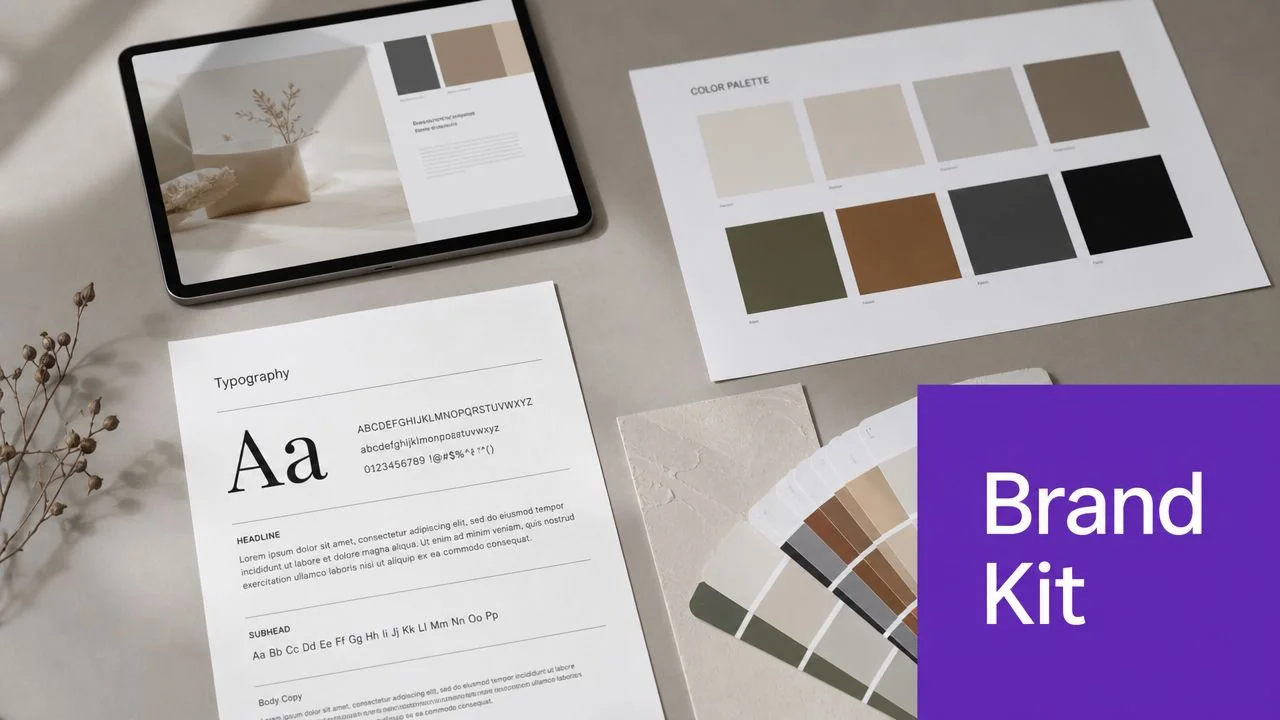
8. Maintain Brand Consistency with Reusable Brand Kits and Templates
A polished demo should look like it belongs to your company, not to whichever teammate happened to record it that day. Inconsistent intros, fonts, colors, cursor styles, and slide treatments make even useful content feel improvised.
This matters most when many people contribute. Product marketing creates feature release videos. Support publishes help-center clips. Sales enablement builds walkthroughs. Internal training teams record SOPs. Without a shared system, every asset starts drifting in a different direction.
Standardize the look so experts can focus on the message
Brand Kits are useful because they remove low-value design decisions from the recording process. Tutorial AI includes Brand Kits, custom fonts, and reusable visual styling, which makes it easier for subject-matter experts to produce consistent output without becoming designers.
Microsoft, Bosch, and Intesa Sanpaolo are the kind of organizations where this pays off quickly. When training, support, and customer-facing content all share a recognizable visual language, review cycles get simpler and trust goes up.
Build your template system around repeatable video types:
- Onboarding template: Intro, first-success framing, key setup steps, next action.
- Feature release template: What’s new, where to find it, who should use it, practical example.
- Support template: Problem statement, exact fix, verification step, escalation path if needed.
- Sales enablement template: Buyer problem, focused workflow, business result, follow-up CTA.
Consistency shouldn’t make demos feel generic. It should make the message easier to trust because the production choices stop distracting from the explanation.
If your organization has stricter requirements, this is also the point where platform controls matter. Shared workspaces, versioning, SSO/SAML, and security standards such as SOC 2 and GDPR support become part of the production process, not just IT checkboxes.
9. Embed and Share Strategically Across Channels to Maximize Reach
A polished product demo only works if people encounter it in the places where they’re already trying to solve a problem. Publishing to one video platform and hoping users will find it is usually a weak distribution plan.
Different channels demand different packaging. A support center needs searchable transcripts and easy skimming. A sales rep needs a link that can be dropped into follow-up. An internal training team needs embeds inside the LMS or knowledge base. A feature launch may belong inside the product UI, in email, and on a public page.
Match the demo to the context of use
For top-of-funnel demo videos, length discipline matters. Ngram reports that 30 to 90 seconds is the optimal range for top-of-funnel product demo videos, and 73% of marketers say videos under 2 minutes work best for initial engagement. That doesn’t mean every demo should be short. It means the channel and buyer stage should shape the format.
The same source can support several outputs. A concise teaser can drive interest. A deeper walkthrough can sit on the product page or in a help center. Tutorial AI’s embeddable player and Multilingual Player are useful here because the same asset can be distributed across CMS, LMS, CRM, and documentation systems with language access built in.
For practical distribution, focus on the channels your users already trust:
- Support and knowledge base: Embed the video alongside the written article and transcript.
- Sales follow-up: Send a targeted walkthrough that matches the account’s use case.
- Product marketing: Publish feature release videos where existing users will encounter them.
- Internal enablement: Place training clips inside the systems employees already use.
If LinkedIn is part of your launch mix, ViralBrain’s LinkedIn posting strategy is a useful reference for adapting the same core demo into channel-specific posts without reposting the raw asset unchanged.
10. Monitor Performance and Iterate Based on Viewer Behavior Data
A demo goes live on Monday. By Wednesday, viewers are dropping off before the feature payoff, one audience segment keeps replaying the same step, and the Spanish version finishes lower than the English one. That pattern usually points to execution problems, not product problems.
Treat each published demo as an instrumented test. Review completion rate, drop-off points, rewatches, CTA clicks, and performance by segment. Then make one or two focused changes at a time so you can see what improved the result.
Walnut cites data showing that interactive product demos can drive a 32% higher conversion rate than static or live-only approaches. The practical takeaway is narrower than the headline. Teams should not copy a format just because it performs well in another context. They should study where viewers engage, hesitate, or leave, then adjust structure, pacing, and calls to action based on that behavior.
For AI-assisted demo workflows, this matters even more. Subject-matter experts can now revise narration, tighten scenes, regenerate localized voiceover, or swap on-screen emphasis without opening a full professional editing stack. That lowers the cost of iteration. It also removes the old excuse for shipping one version and leaving it untouched for six months.
Use behavior data to diagnose the specific failure:
- Early exits: Shorten the setup and reach the user problem faster.
- Rewinds at one moment: Clarify the narration, slow the pacing, or improve visual focus on the active element.
- Weak CTA clicks after strong completion: The demo may explain the feature well but fail to present the next step clearly.
- Performance gaps by persona or industry: Split the asset into narrower versions instead of forcing one general walkthrough to serve everyone.
- Lower engagement in one language: Review terminology, subtitle timing, and whether the translated narration matches the product vocabulary your users expect.
One caution. Do not optimize for completion rate alone. A shorter demo can keep more viewers to the end and still do a worse job of qualifying interest or teaching the workflow. The better approach is to pair engagement metrics with the outcome that matters for that demo: trial starts, meeting bookings, activation, support deflection, or successful task completion.
Strong teams build a lightweight review loop. Publish, measure for a defined period, review the recording at the exact drop-off points, update the script or visuals, and republish. With modern AI-assisted tools, that loop is finally practical for product marketers, sales engineers, and customer educators who know the product well but do not have video editors on standby.
10-Point Product Demo Best Practices Comparison
| Practice | Implementation Complexity 🔄 | Resource Requirements ⚡ | Expected Outcomes ⭐ | Ideal Use Cases | Key Advantages 📊 | Quick Tips 💡 |
|---|---|---|---|---|---|---|
| Start with a Clear Objective and Audience Definition | Low–Moderate, planning required | Minimal, time, stakeholder input | ⭐ Shorter, focused demos; better retention | Onboarding, role-specific feature demos, sales workflows | Focused content; easier editing and repurposing | Write a one-sentence goal; list 3–5 takeaways |
| Record in Real Time with Minimal Pauses and Retakes | Moderate, needs practice and discipline | Low, dry runs, quiet environment, basic recorder | ⭐ Reduced raw footage; authentic pacing | Quick walkthroughs; recordings intended for narration regen | Less editing; supports multi-language narration regen | Do a dry run; disable notifications; resume after stumbles |
| Use a Conversational, Natural Narration Style | Low, stylistic choice with restraint | Low–Medium, speaker or AI voice options | ⭐ Higher engagement and completion rates | Customer-facing demos, training, onboarding | More relatable tone; easier to update via AI regen | Imagine explaining to a peer; avoid jargon; read aloud |
| Highlight Key Elements and Control Visual Focus | Moderate–High, tool setup and design judgment | Medium, cursor/zoom tools, editor time | ⭐ Improved comprehension; reduced support queries | Dense UIs, form walkthroughs, help-center videos | Emphasis without re-recording; data masking options | Highlight only active elements; test on mobile; blur PII |
| Script as You Would Edit, Write, Rewrite, Refine | Low–Moderate, process change for creators | Medium, editing interface with transcript/regen | ⭐ Faster iterations; polished voiceovers without re-shoots | Complex tutorials, documentation-driven videos | No timeline editing; quick rewrites by non-editors | Let transcript sit, then read aloud and trim filler |
| Plan for Multilingual and Global Audiences from the Start | Moderate–High, localization workflow up front | Medium–High, translation reviewers, AutoRetime tools | ⭐ Consistent global messaging; wider reach | Global training, support content, product launches | One recording → many languages; cost savings | Avoid idioms; use neutral accent; test with natives |
| Generate Documentation Alongside Video | Low–Moderate, requires export tools/workflow | Low, transcript quality checks, minor edits | ⭐ Doubles content output; better SEO and discoverability | Knowledge bases, support articles, LMS content | Synchronized video + article; serves multiple learners | Record clear step descriptions; review generated article |
| Maintain Brand Consistency with Reusable Brand Kits | Moderate, initial brand asset creation | Medium, design team time, templates, shared assets | ⭐ Consistent, professional output across creators | Enterprise teams, multi-creator environments | Faster production; fewer design reviews | Involve design team; create 3–5 template variants |
| Embed and Share Strategically Across Channels | Moderate, platform integrations and config | Medium, hosting, analytics, privacy settings | ⭐ Higher access and measurable reach | CRMs, knowledge bases, product UIs, YouTube | Meets users where they work; trackable metrics | Audit audience platforms; include CTAs and captions |
| Monitor Performance and Iterate Based on Data | Moderate, analytics setup and analysis cadence | Medium, analytics tools, time to act on insights | ⭐ Data-driven improvements; higher completion rates | Ongoing onboarding, high-value sales/training content | Identifies specific fixes; validates ROI | Set baselines; analyze drop-offs; A/B test changes |
From Raw Recording to Polished Demo in Minutes
Creating an effective demo used to force a compromise. You could record something quickly with a casual screen recorder and accept the rough edges, or you could chase a polished result in Adobe Premiere Pro, Camtasia, or Final Cut and depend on someone with editing skill to get it over the line. That trade-off no longer makes much sense for most product teams.
The practical shift is to treat demos as structured knowledge capture. Record the screen. explain the workflow. keep the story narrow. Then use software to tighten pacing, refine narration, focus attention, localize versions, and turn the same source into written documentation. That workflow fits the way support teams, product marketers, technical writers, trainers, and presales teams work. The subject-matter expert stays close to the content instead of handing everything off to a video specialist.
That matters because authenticity is part of the message. AI avatar platforms like Synthesia, HeyGen, and Vyond can generate synthetic presenters, but they aren’t the right fit when the audience needs to see the actual UI and hear a real explanation of how the product works. A strong product demo usually benefits from a real screen and a real voice. The polish should improve clarity, not replace reality.
The best product demo best practices are surprisingly grounded. Pick one audience. solve one problem. record cleanly. Talk like a peer. Direct the viewer’s eyes. Rewrite the script after you hear it aloud. Build for localization before someone asks for it. Publish the article and the video together. Keep the branding consistent. Put the asset where the user already works. Then watch what happens and revise based on behavior, not on instinct alone.
This is also why an AI-assisted workflow is so useful for pro teams. It doesn’t remove the need for expertise. It removes the parts of production that slow experts down. Captioning, cleanup, pacing adjustments, script-based revisions, multilingual versions, and document generation are all work that can be automated without sacrificing the substance of the explanation. According to TechSmith’s overview of modern screen recording tools, this kind of automation cuts manual tasks like captioning, noise removal, and filler-word cleanup by hours per video. That doesn’t replace thoughtful recording. It makes good recording far more effective.
When teams adopt that mindset, demos stop being one-off assets. They become reusable building blocks for onboarding, support, release communication, internal training, and sales conversations. That’s the key upgrade. Not more video. Better operational content from the same effort.
If your team wants polished product demos without turning subject-matter experts into video editors, Tutorial AI is built for that workflow. It turns a single screen recording and spoken narration into a tightened tutorial video that looks professionally edited, then generates a matching written article from the same source. That makes it a strong fit for product demos, onboarding, support, sales enablement, and internal training, especially when you need Brand Kits, multilingual narration, embeddable players, shared workspaces, and enterprise controls like SSO/SAML, SOC 2, and GDPR support.