Your product demos and help articles work well in one market. Then expansion starts, and the cracks show fast. A screen recording that felt fine in English becomes expensive to translate because the narration rambles, the UI labels are baked into the footage, and the written article no longer matches the video after edits.
That’s why localization best practices matter most before translation starts. If your workflow depends on manual cleanup, manual subtitle timing, and manual article rewriting for every language, scale gets painful quickly. Teams creating product demos, feature release videos, customer onboarding, help-center videos, support article videos, internal training, SOPs, and sales enablement walkthroughs need a production system, not a last-mile translation task.
For technical content, localization is really a content design problem. It affects recording style, terminology, pacing, UI capture, subtitle formatting, review workflows, and how you publish both video and documentation. It also affects international customer engagement, because users judge trust quickly when terminology, captions, or examples feel off.
Tutorial AI fits this workflow well because it turns a single screen recording plus spoken narration into a polished tutorial video and a matching written article from the same recording. That matters when you need one source of truth across formats, not a video team and a docs team drifting apart.
1. Establish Clear Source Content Standards Before Recording
Most localization problems start in the source file. If the original tutorial has inconsistent naming, uneven pacing, filler narration, or unclear screenshots, every language version inherits the mess.
That’s especially true with screen-recorded tutorials. Casual recorders often produce takes that run longer than needed because of pauses, retakes, and side comments. That may be acceptable for an internal share, but it’s expensive input for translation and voiceover. Tight source content lowers rework.
Standardize what “ready for localization” means
Set rules before anyone records. Define approved terminology, preferred sentence length, how to describe UI actions, how to reference keyboard shortcuts, and when to show the interface versus when to explain it in narration.
Microsoft is a useful model here. Its documentation practice is known for strong source consistency, and that discipline is what makes downstream localization manageable. The same logic applies to tutorial videos. Bosch, Deutsche Bahn, Intesa Sanpaolo, and UNICEF all operate in environments where terminology drift creates real confusion, so source discipline isn’t optional.
A practical workflow looks like this:
- Lock the script first: Use Tutorial AI’s editable script workflow to refine narration before localization starts.
- Record clean audio: Translators and reviewers work faster when the source speech is clear and deliberate.
- Keep one name for one thing: If the UI says “Workspace,” don’t also call it “project area” in narration.
- Test the source with home-market users: Fix clarity issues before they multiply across languages.
Practical rule: Never localize a rough take. Localize the version you’d be comfortable publishing in your primary market.
Pace for translation, not just for English
Designers and product marketers often optimize a source video for speed. That can backfire. Translated text can expand by at least 30% according to Lionbridge, which affects subtitles, on-screen labels, and any overlay tied to timing.
A moderate recording pace gives you room to adapt later. That matters even more if you’re localizing both the video and the article generated from the same recording.
2. Use Multilingual Terminology Databases and Glossaries
If your German subtitle says one thing, your help article uses another term, and the UI shows a third label, users notice. In technical content, terminology inconsistency looks like product confusion.
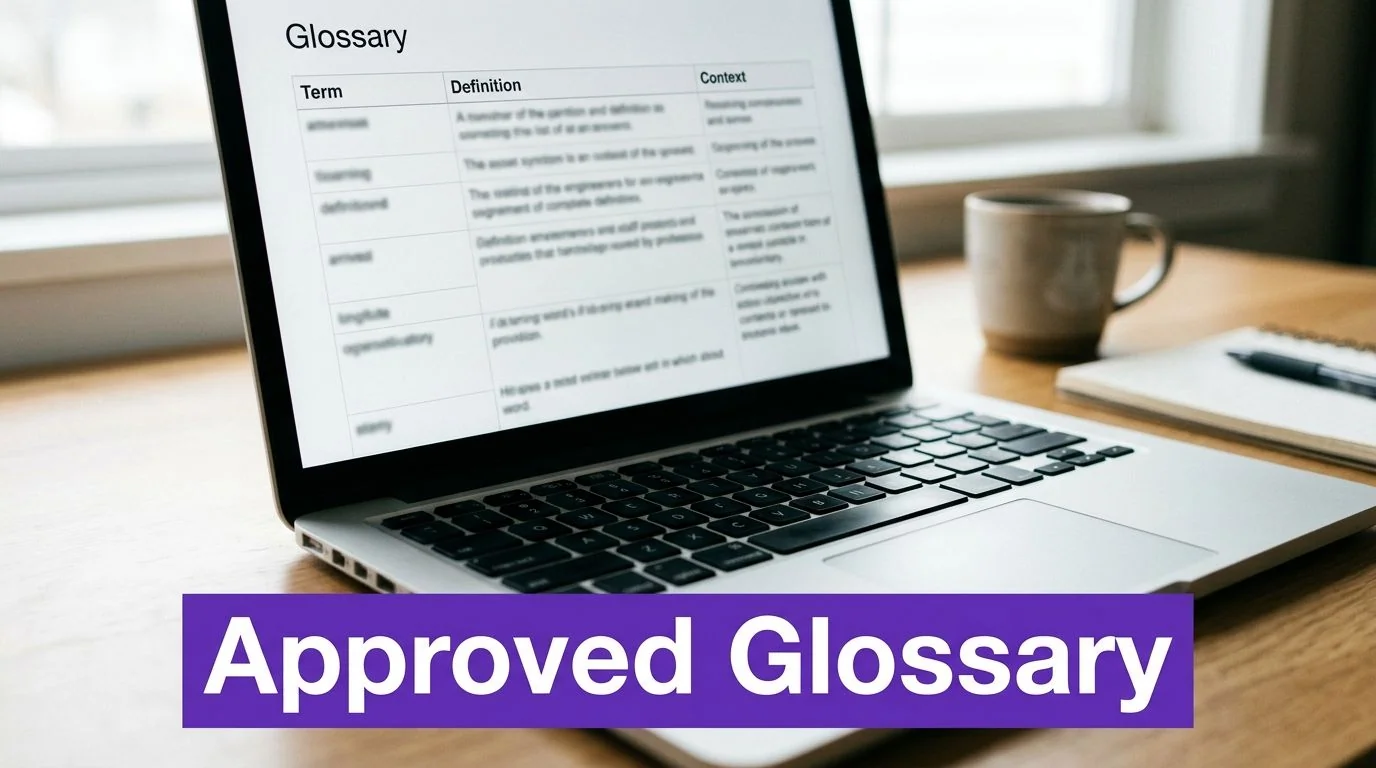
That’s why a glossary needs to live outside individual files. It should cover UI labels, feature names, workflow terms, industry jargon, and any word a support agent or trainer would need to explain the product consistently.
Build one term system for video, docs, and UI
Bosch is a strong example because technical environments punish ambiguity. A multilingual glossary shared across training videos, product documentation, and interfaces keeps terms aligned. Intesa Sanpaolo has the same need in banking, where financial concepts can’t drift by channel or market.
Microsoft’s terminology tooling reflects the same principle. If a term has an approved translation, creators and translators should be able to find it before they record or translate anything.
Use a glossary that includes:
- Approved source term: The exact English label or phrase.
- Approved target variants: One approved translation per locale where possible.
- Context note: Explain what the term means in product use.
- UI reference: Add screenshots so translators can see where the term appears.
- Module tags: Group terms by feature area for faster lookup.
When teams exchange files, standardized localization formats help. If you work with translation systems, it’s worth understanding the XLIFF file format, because it preserves translatable text and context more cleanly than copying strings through spreadsheets alone.
A glossary isn’t documentation overhead. It’s a quality control system.
Keep the glossary alive
A glossary fails when it becomes an archive. Product releases change vocabulary constantly, especially in SaaS. Review it on a regular cadence, add new terms as features ship, and connect it to your templates and production process.
This is also where adjacent research teams can help. If your organization already maintains concept libraries or UX language references, something like Uxia’s research glossary can help align terminology habits across content and research functions.
3. Account for Language-Specific Timing and Pacing in Video Content
A tutorial that feels crisp in English can feel rushed once localized. That’s not a translation quality issue. It’s a timing issue.
German tends to expand. Other languages may compress ideas differently or place key words later in the sentence. If your scene changes too quickly, the voiceover, subtitles, and visual action stop feeling connected.
Design videos with timing flexibility
The easiest mistake is building around short scenes packed with information. A two-second click sequence might survive in one language, but it becomes fragile once narration length changes.
For software tutorials, give important actions breathing room. Keep scenes long enough that a viewer can see the cursor movement, understand the interface state, and process the instruction without racing the audio.
Useful habits include:
- Favor fewer, clearer actions per scene: One UI action per beat is easier to retime.
- Reduce on-screen text: Text-heavy scenes are harder to adapt cleanly.
- Record at a conversational pace: Fast narration leaves no room for slower languages.
- Test with native reviewers early: They’ll spot awkward compression before launch.
Tutorial AI’s AutoRetime is useful here because it automatically adjusts pacing and cuts when translated voiceover runs longer or shorter. That’s the kind of work people often try to do manually in Camtasia, Adobe Premiere Pro, or Final Cut, but those tools assume editing expertise. For subject-matter experts making frequent product videos, timeline-heavy retiming is usually the bottleneck.
Match pacing to the content type
Product demos and feature release videos can tolerate a quicker rhythm. Customer onboarding and knowledge-base content usually can’t. Those formats need viewers to follow along in the actual product.
This is also where real screen plus real voice matters more than synthetic talking-head formats. If the audience needs to see the actual UI, the pacing of the interface demonstration becomes part of localization quality.
4. Adapt Visual Elements and UI Demonstrations for Target Markets
A team ships an English help video for a billing workflow, adds translated narration, and assumes the job is done. Then support tickets arrive because the button labels, date format, and payment example on screen do not match what customers see in their market. For screen-recorded tutorials, visual localization is often the difference between a useful asset and a confusing one.
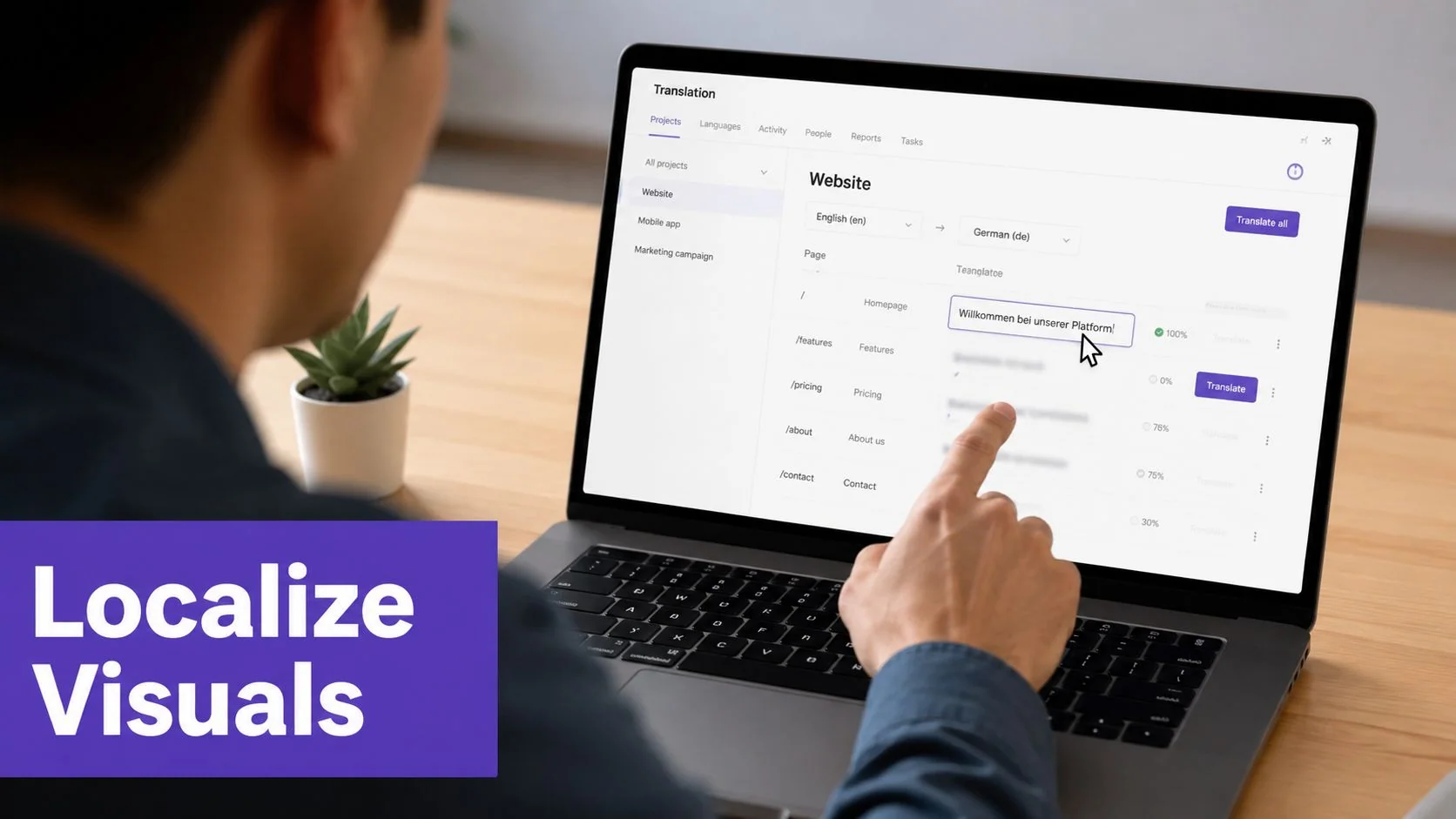
Start by deciding whether viewers need a localized interface or just localized guidance. A high-level feature announcement can often keep the source UI if the narration, captions, zooms, and cursor emphasis make the task clear. A setup guide, compliance flow, or payment tutorial usually needs market-specific visuals because users are following each step inside the product, not just learning the concept.
Decide what must be localized on screen
Use a simple review pass before you localize the video itself. Check the recording for the parts that create friction if they stay in the source market:
- Visible UI language: Do menus, buttons, error states, and tooltips need to appear in the target language?
- Regional formats: Dates, currencies, tax labels, time zones, decimal separators, and address fields often need to match local conventions.
- Sensitive data: Account numbers, serial numbers, customer names, and internal IDs should be blurred, replaced, or rebuilt as safe demo data.
- Examples and references: Payment flows, legal disclaimers, support paths, and location-specific examples may need a regional version, not a direct carryover.
The trade-off is production cost versus instructional accuracy. Re-recording every market version gives the cleanest result, but it slows updates and creates more assets to maintain. Overlaying translated callouts on one source recording is faster, but it breaks down when the user must click through a localized UI step by step.
Record and edit for adaptation, not just for the source market
Teams usually feel this pain in post-production, but the fix starts during capture. Record the UI cleanly. Keep overlays editable. Avoid baking English text into lower thirds, arrows, or annotations unless that video will stay market-specific.
Flexible layouts matter because translated labels expand, contract, and wrap differently. Acclaro discusses this directly in its software localization guidance, especially around flexible text handling and avoiding hard-coded interface text. The same rule applies to tutorials. If your visual treatment only works in English, every new language becomes a manual redesign job.
One practical approach is to create two tutorial patterns. Use a reusable global format for overview videos, where zoom, cursor movement, and narration do most of the teaching. Use market-specific recordings for workflows tied to local product configurations, billing, or compliance. If you are preparing Spanish-language tutorial variants, this guide to Spanish voice-over choices for product tutorials is useful when the visual version also needs localized narration.
Here’s a quick example of the kind of product walkthrough format that benefits from careful visual localization:
5. Leverage AI Voices and Native Speaker Review for Localized Narration
Localized narration no longer requires booking a full voice actor workflow for every language. For high-volume tutorial libraries, that old model is often too slow.
What matters is using generated narration where it fits, then adding native-speaker review where credibility matters. That combination works well for product updates, help-center videos, internal training, and repeatable walkthroughs.
Use generated narration for speed, then review for trust
Tutorial AI supports narration in 74 languages, which is practical when one source recording needs to become many market-ready versions. It also helps that script edits can update voiceover, timing, and captions together instead of forcing manual timeline edits.
This is especially useful for technical teams who know the product but aren’t trained editors. Powerful suites like Adobe Premiere Pro and Camtasia can produce polished results, but they also demand editing skill and time. Tutorial AI is better suited when the subject-matter expert needs polish without becoming a post-production specialist.
If you’re planning Spanish versions specifically, this guide on voice-over in Spanish is a useful reference point for script and narration choices.
Review pronunciation, tone, and product language
Generated voices still need review. Native speakers catch product-name pronunciation issues, odd sentence rhythm, and phrasing that feels translated rather than written for that market.
A simple review standard helps:
- Pronunciation check: Product names, acronyms, and proper nouns.
- Tone check: Does the voice fit onboarding, support, or training?
- Pacing check: Are pauses natural for the language?
- Terminology check: Does the narration match the glossary and visible UI?
For emotionally sensitive or brand-defining content, human voice talent may still be the right choice. For fast-moving tutorial libraries, generated narration plus native review is often the better operational model.
6. Implement Synchronized Captions and Subtitles With Language-Aware Formatting
Captions do more than satisfy accessibility requirements. They help viewers follow technical steps in noisy environments, reinforce comprehension for non-native speakers, and give you transcript material for your help center.
But auto-generated captions alone aren’t enough. Timing, line breaks, and formatting choices change whether captions feel professional or distracting.
Treat subtitle formatting as part of localization quality
A subtitle can be perfectly translated and still be hard to read. Long lines, awkward breaks, or mistimed entries create friction fast, especially in software tutorials where the user is watching the interface and reading at the same time.
Language-aware formatting is essential. Keep lines short, break at natural phrase boundaries, and avoid stacking too much text on the screen while UI labels are also visible.
If you need a production workflow for this, Tutorial AI’s guide on how to add captions to videos is directly relevant.
Good captions support the lesson. Bad captions compete with it.
Sync captions to action, not just speech
The strongest caption timing follows the screen action, not only the waveform. If the subtitle says “Click Settings,” the caption should appear while the cursor moves toward Settings, not after the click has already happened.
For multilingual teams, it helps to separate three checks:
- Accuracy: The subtitle matches the approved translation.
- Readability: The line breaks and density work for that language.
- Action sync: The subtitle appears when the viewer needs it.
When you publish through a player with a language selector, optional captions are the right default. Some users want them on for support and onboarding. Others prefer a clean screen. A Multilingual Player makes that choice easier without splitting viewers into different delivery systems.
7. Create Language-Neutral or Minimal-Text Visuals Where Possible
Every text label you bake into a screenshot or motion graphic becomes a localization task later. Sometimes that’s necessary. Often it isn’t.
Teams usually overestimate how much on-screen text viewers need. In software tutorials, visual emphasis can carry more of the explanation than text overlays do.
Reduce translation debt in the visual layer
Microsoft’s product demos often rely on highlights, arrows, and cursor focus rather than text-heavy instructional graphics. That approach scales because it reduces the number of visual assets that need rebuilding for each market.
Bosch tutorials for equipment and setup often benefit from close-up visual demonstration for the same reason. The clearer the visual action, the less text you need to stamp onto the frame. Deutsche Bahn-style process training also benefits from icon-led flow graphics rather than dense text slides.
A good audit question is simple: if the narration disappeared, would the visual still make sense to a viewer who doesn’t speak the source language?
Keep text editable when it must appear
Some text has to stay visible. Menu paths, code snippets, warnings, and exact UI labels often matter. When that happens, keep those elements editable and separate from the footage whenever possible.
Try this approach:
- Use arrows and highlight effects first: Direct attention visually before adding text.
- Make overlays editable: Don’t burn instructional text into screenshots.
- Set icon conventions: A repeated symbol should mean the same thing across videos.
- Test visual-only comprehension: Ask a non-source-language viewer to explain what happened.
This is one area where screen-recorded tutorials outperform AI avatar tools like Synthesia, HeyGen, or Vyond. Those tools can be useful for presenter-led content, but they aren’t the right fit when the core learning experience depends on seeing the product interface clearly.
8. Plan for Right-to-Left Language Support and Regional Formatting
The failure usually shows up late. The Arabic captions are ready, the help article is translated, and then the published tutorial opens with left-aligned subtitles, clipped overlay boxes, and a date format that still reads like the US market.
Right-to-left support exposes process gaps fast, especially in screen-recorded tutorials where captions, callouts, chapter labels, and adjacent knowledge base layouts all have to stay in sync. Regional formatting creates a quieter problem, but users still catch it immediately. A product walkthrough loses credibility when the interface says one thing and the supporting content shows the wrong currency symbol, decimal separator, or time format.
RWS notes that 76% of consumers globally prefer to buy products with information in their native language. For technical tutorials and help content, that standard goes beyond translated narration. Dates, numbers, and layout behavior also need to match the target locale.
Set those rules before localization starts.
Your brief should define:
- Date format: Day-month-year, month-day-year, and local separators
- Time format: 12-hour or 24-hour display
- Currency display: Symbol placement, spacing, and decimal rules
- Number formatting: Decimal marks, thousands separators, and percentage style
- Address and phone formats: Region-specific ordering and labels
- Text direction: RTL alignment rules for captions, overlays, and article components
For video teams, the trade-off is practical. The more text you burn into the recording, the more rework RTL languages require. Keep captions, lower thirds, and instructional overlays editable outside the base footage whenever possible. That gives you room to mirror placement, adjust line length, and prevent UI callouts from covering the wrong part of the screen.
Test RTL behavior in the actual publishing environment, not only in the subtitle file or design tool. Check the player on desktop and mobile. Check chapter titles, language selectors, overlay anchoring, help-center templates, and any side-by-side article layout that sits next to the video.
Tutorial AI’s Multilingual Player reduces some of that operational risk because teams can manage multiple language versions in one delivery environment instead of maintaining separate embeds. If localization touches regulated teams or multiple regions, access controls such as SSO/SAML and compliance requirements such as SOC 2 and GDPR readiness also affect how safely that workflow can scale.
9. Establish Clear Governance, Review Workflows, and Version Control for Quality Assurance
Localization breaks down in the handoffs. The script changes after translation. The help article gets updated but the video doesn’t. The German voiceover uses the new term, but the subtitles still show the old one.
This isn’t a language problem. It’s governance.
Define owners and approval stages
Bosch-style QA is a good model for technical content because it separates subject accuracy from language accuracy. Product experts review the script. Native speakers review the translation. Someone checks the narration. Someone else verifies caption timing and visual alignment before release.
Microsoft and Deutsche Bahn also illustrate the need for role clarity. Product owners, translators, legal or compliance reviewers, and QA teams shouldn’t all be editing the same file without a controlled workflow.
A practical setup includes:
- Source owner: Approves the canonical script and recording.
- Language owner: Signs off on each locale.
- QA reviewer: Checks timing, captions, and visual correctness.
- Publishing owner: Controls release and deprecation status.
If no one owns the final language version, everyone assumes someone else checked it.
Version the source, not just the outputs
Version control matters even more when a single recording becomes both a localized tutorial and a matching article. If those assets drift apart, support teams lose confidence quickly.
A clean naming and tracking system helps. Keep one source version, track each locale as a linked derivative, and log publication date, review date, and known issues in your CMS or content registry. Archive old versions instead of deleting them.
This is one reason Tutorial AI’s “video plus article from one recording” workflow is useful. It reduces one common failure mode, where docs and video are maintained in separate systems and updates land unevenly.
10. Test and Validate Localized Content With Native Speaker and Target Audience Feedback
A tutorial often looks finished at the point where translation, captions, and voiceover are approved. That is also where many teams ship avoidable mistakes. The wording may be correct, but the flow can still feel wrong to users in that market. A screen-recorded walkthrough can fail because the narrator moves too fast for the translated UI, the examples reflect the wrong workflow, or the task names do not match what support teams and customers say.
Validation should answer two different questions. Is the localized asset accurate? And does it help someone complete the task with confidence?
Test before full rollout
A staged release is usually the better bet for tutorial libraries and help centers. Lokalise recommends a hybrid localization strategy, starting with high-visibility content and expanding deeper once market demand is clear. In its guidance, delaying full product localization until signups justify it can reduce wasted spend by 40% while maintaining 95% user satisfaction.
For technical content, that usually means testing the assets that shape product evaluation or absorb support volume first. Prioritize onboarding videos, setup guides, troubleshooting articles, and any tutorial tied to activation, billing, compliance, or core workflows. Long-tail content can wait until you know the market is using it.
Validate the workflow, not just the words
Native-speaker review is part of the answer, not the whole answer. A translator can confirm that a sentence is correct. A user in the target market can tell you whether the tutorial reflects how the task is really done.
For screen-recorded content, I look for failure points that standard translation QA misses. Does the viewer hesitate when the UI labels appear? Do they replay one step three times because the narration gets ahead of the cursor? Do they abandon the article because the screenshots show a feature name their local build does not use? Those signals tell you more than a language pass alone.
A practical validation loop includes:
- Native-speaker review: Check terminology, tone, and region-specific phrasing.
- Task-based user testing: Ask target users to follow the tutorial and complete the workflow without extra help.
- Playback and behavior review: Look at replays, pauses, exits, and completion rates by locale.
- Support-team feedback: Compare test findings with the questions agents receive in each language.
- Asset-level fixes: Update captions, timing, screenshots, callouts, or examples based on what users struggled with.
Automated checks still help before human review. Pseudo-localization, overflow testing, subtitle timing checks, and visual QA can catch broken layouts and clipping early. Human testers should spend their time on meaning, usability, and market fit, not on issues your pipeline could have caught before handoff.
If your product includes AI-generated outputs, test those localized tutorials with extra care. The tutorial may be accurate at the script level and still mislead users if generated summaries, suggested text, or assistant responses behave differently across languages. Review the demonstrated output in each target locale, not just the surrounding narration.
Top 10 Localization Best-Practices Comparison
| Item | 🔄 Implementation Complexity | ⚡ Resource Requirements | 📊 Expected Outcomes | ⭐ Key Advantages | 💡 Ideal Use Cases |
|---|---|---|---|---|---|
| Establish Clear Source Content Standards Before Recording | 🔄 Medium, create guides, templates, review checkpoints | ⚡ Medium, documentation time, basic tooling, training | Consistent source assets; fewer revisions and lower localization cost | ⭐ Reduces rework; speeds time-to-market | 💡 New product launches, high-volume tutorial production |
| Use Multilingual Terminology Databases and Glossaries | 🔄 Medium–High, audit, integrate, version control | ⚡ Medium–High, linguists, glossary tools, ongoing maintenance | Consistent terminology across channels; faster, cleaner translations | ⭐ Eliminates terminology drift; speeds translator workflows | 💡 Technical products, regulated industries, large translation programs |
| Account for Language-Specific Timing and Pacing in Video Content | 🔄 Medium, configure language pacing and auto-retime | ⚡ Medium, speech-rate data, retiming tools, testing | Natural narration per language; fewer cut-offs and awkward pauses | ⭐ Improves perceived quality; reduces manual editing per language | 💡 Screen demos, short-scene tutorials, videos with heavy narration |
| Adapt Visual Elements and UI Demonstrations for Target Markets | 🔄 High, audit visuals, create regional variants or re-record | ⚡ High, designers, re-shoots or asset variants, locale testing | Native-feeling content; reduced confusion when UI differs by locale | ⭐ Increases engagement and trust; reduces user confusion | 💡 UIs with localized labels, legal/regulatory visuals, banking apps |
| Leverage AI Voices and Native Speaker Review for Localized Narration | 🔄 Low–Medium, generate AI audio + review workflow | ⚡ Low–Medium, AI credits, native reviewer time | Fast, consistent multi-language narration; rapid updates | ⭐ Fast scaling and cost-effective vs. hiring actors | 💡 High-volume updates, internal training, time-sensitive content |
| Implement Synchronized Captions and Subtitles with Language-Aware Formatting | 🔄 Medium, STT, formatting rules, sync per language | ⚡ Medium, captioning tools + native editing | Better accessibility, SEO, and comprehension across languages | ⭐ Improves accessibility and engagement; searchable transcripts | 💡 Public-facing tutorials, noisy/no-audio scenarios, accessibility needs |
| Create Language-Neutral or Minimal-Text Visuals Where Possible | 🔄 Low–Medium, upfront visual design and templates | ⚡ Low, iconography, editable overlays, template library | Single-source videos usable across languages; fewer graphic changes | ⭐ Reduces localization cost; faster turnaround | 💡 Cross-market demos, icon-driven instructions, universal workflows |
| Plan for Right-to-Left (RTL) Language Support and Regional Formatting | 🔄 High, layout, caption alignment, player support, testing | ⚡ Medium–High, RTL-capable tools, QA across devices | Correct RTL display and locale-specific formatting; fewer late fixes | ⭐ Ensures correct rendering in MENA markets; builds trust | 💡 Arabic/Hebrew/Farsi markets, regional financial or official content |
| Establish Clear Governance, Review Workflows, and Version Control for QA | 🔄 High, define roles, workflows, versioning, QA checklists | ⚡ High, collaboration tools, storage, trained reviewers | Fewer publication errors, traceability, scalable localization | ⭐ Prevents release mistakes; supports compliance and rollback | 💡 Enterprise programs, regulated content, multi-team publishing |
| Test and Validate Localized Content with Native Speaker and Target Audience Feedback | 🔄 Medium, recruit testers, design structured tests | ⚡ Medium, tester incentives, analytics, moderation time | Validated usability and cultural fit; fewer support tickets post-release | ⭐ Catches cultural/UX issues; improves learning outcomes | 💡 New-market launches, high-impact or culturally sensitive content |
Build Your Global Content Engine
The biggest mistake teams make with localization is treating it like cleanup. They record first, edit manually, translate later, and hope the result still feels coherent across languages. That approach might survive for a handful of videos. It doesn’t hold up when you’re producing ongoing product demos, onboarding flows, support videos, help-center content, and internal training.
The better model is operational. Build localization into the way you create source content. Write tighter scripts. Standardize terminology. Leave timing room for other languages. Capture visuals in ways that can adapt across markets. Put review ownership and version control in place before your library grows.
That matters even more for screen-recorded technical content than for general marketing copy. A viewer isn’t only reading translated words. They’re watching a product interface, listening to instructions, checking captions, and often trying to perform the task at the same time. If any one of those layers feels off, trust drops. The tutorial looks translated instead of designed for them.
Workflow choices have a bigger impact than expected. If your process starts with a loose recording and relies on manual editing in Adobe Premiere Pro, Camtasia, or Final Cut for every language version, your bottleneck is predictable. Editing expertise becomes a hard dependency. The people who know the product best often can’t ship quickly because they’re blocked by post-production work.
Tutorial AI addresses that specific problem well. It takes a single screen recording and spoken narration, turns it into a polished tutorial video, and generates a matching written article from the same recording. For localization teams, that solves two recurring issues at once. First, you don’t have to maintain separate video and article workflows that drift apart. Second, script edits can update voiceover, captions, and timing without the usual timeline-heavy rework.
That’s especially useful for technical teams producing content in volume. AutoRetime helps adapt pacing across languages. Brand Kits keep the visual system consistent. Narration in 74 languages supports broader reach. The Multilingual Player simplifies distribution. Enterprise teams also care about controls and governance, so SSO/SAML and SOC 2 plus GDPR readiness aren’t side details. They help make a localization workflow workable across departments and regions.
The broader lesson is simple. Localization best practices aren’t a list of translation tips. They’re a production discipline. The strongest teams treat source quality, terminology, pacing, visuals, subtitle formatting, governance, and validation as one connected system.
Start there. Tighten one recording workflow, one glossary, one review path, and one publishing system. Once that foundation is in place, global expansion becomes far less chaotic. Your localized tutorials will feel clearer, more trustworthy, and much easier to maintain.
If you’re building multilingual tutorials, help articles, or onboarding content, Tutorial AI is worth a close look. It helps subject-matter experts record once, generate a polished video plus matching article, localize narration across 74 languages, and adapt timing with AutoRetime so teams can ship global training content without turning every update into a manual editing project.