Strong onboarding changes business outcomes. Organizations with strong onboarding processes see an 82% improvement in new hire retention and over 70% increase in productivity, according to Brandon Hall Group research summarized by HiBob. That should end the debate about whether onboarding content matters.
Execution is the issue. Many teams still rely on slide decks, scattered docs, and one-off live sessions that vary by manager. Employee onboarding videos solve the consistency problem, but only if they’re concise, current, and easy to maintain. That’s where most programs break down.
Why Great Onboarding Videos Are No Longer Optional
Employees retain more when they can see a task, hear it explained clearly, and replay it at the moment of need. That aligns with proven adult learning preferences in workplace training, and it explains why onboarding video has shifted from a nice extra to standard infrastructure.
The business case is already clear from the earlier research. The operational question is different. Can your team produce onboarding content fast enough to keep it accurate?
For many L&D teams, that is the breaking point. Live sessions drift by manager, slide decks age fast, and traditional video production takes too long for internal process changes. A policy update, UI change, or new approval flow can make a carefully edited video obsolete in weeks.
That is why the workflow matters. Subject-matter experts already know how the work gets done. With the right AI-assisted process, they can record a clean walkthrough, trim mistakes, tighten pacing, add captions, and publish updates without handing every request to a video specialist. Post-recording optimization is where quality is won or lost.
Great onboarding videos reduce time to clarity. New hires get a clear answer fast, and your team stops reteaching the same basics in every cohort.
Good onboarding videos also fit into a larger system. A new employee still needs documents, access steps, checklists, and context for week one. If you are designing that broader experience, these new hire welcome kit ideas pair well with video and help turn isolated assets into a repeatable onboarding program.
What separates useful from forgettable
Useful onboarding videos share three traits:
- They teach one task or decision. Each video should answer one question or show one workflow.
- They show the actual environment. If viewers need to learn an actual product or internal tool, they need to see the actual screen and hear an authentic voice.
- They are easy to maintain at scale. Teams should be able to update, localize, and redistribute them without reopening a full editing project.
Miss one of those, and people stop trusting the library. They message a manager, book a call, or hunt through docs instead.
Planning and Scripting for Maximum Clarity
Most onboarding videos fail before recording starts. The problem usually isn’t the speaker. It’s that nobody decided what the video is for.
A structured onboarding program can improve retention by up to 82%, yet only 12% of employees think their company does a great job onboarding, according to Biteable’s summary of onboarding research. In practice, I see the same reason over and over. Teams try to cover everything in one pass, so the result is long, crowded, and hard to reuse.
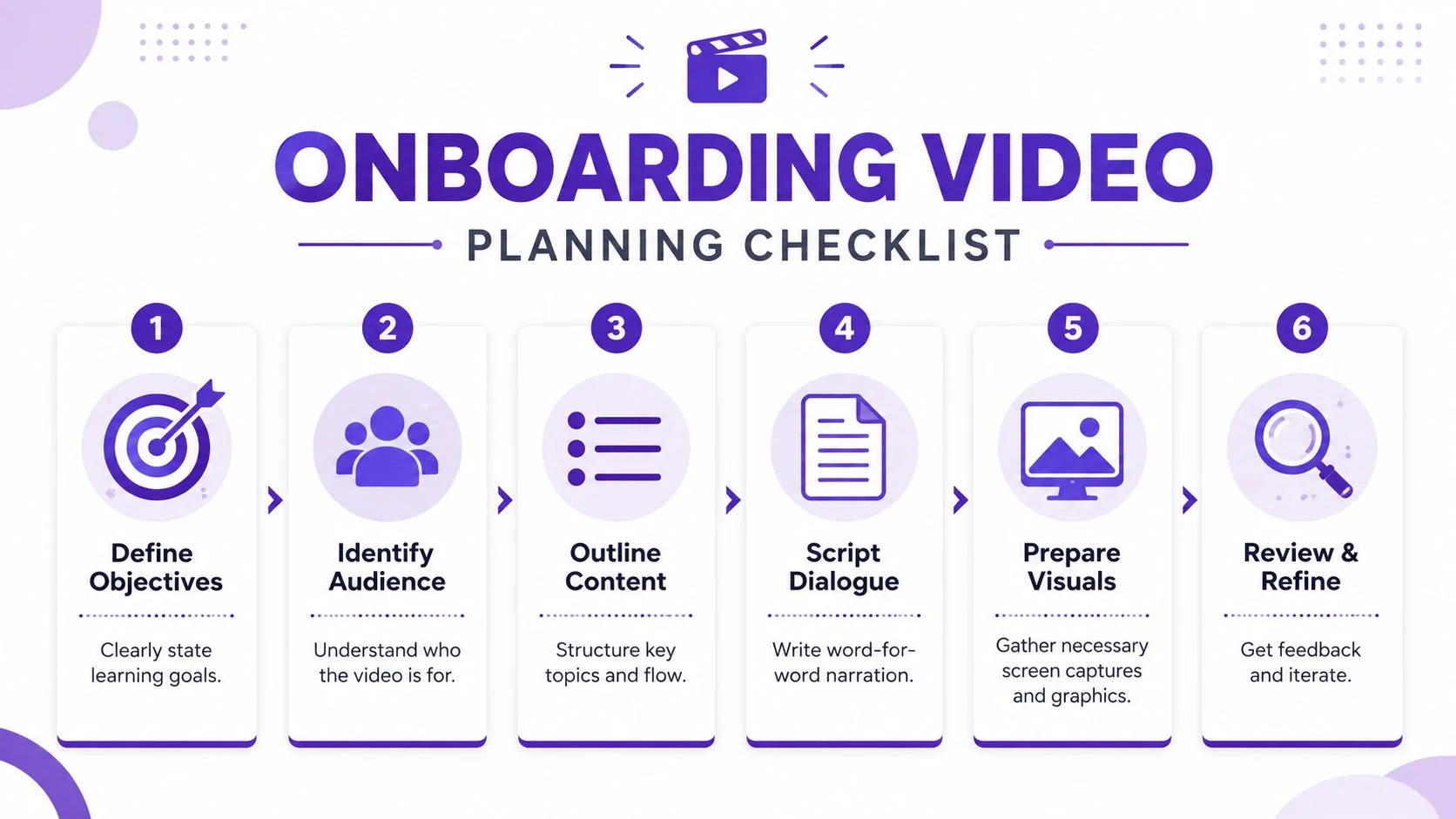
Start with one outcome
Before writing a single line, define the viewer, the situation, and the next action.
For example:
- Software walkthrough. A new hire needs to log in, configure settings, and complete one task.
- Policy explainer. An employee needs to understand a rule and know where to find the full policy.
- Culture welcome. A new teammate needs context on values, communication norms, and who to contact.
That sounds basic, but it forces useful constraints. If a video has more than one main outcome, split it.
Use a script that reads like a working document
The best script for employee onboarding videos isn’t literary. It’s operational. It should match what appears on screen and be easy to revise when the process changes.
A simple structure works:
- Opening
State what the viewer will be able to do by the end. - Core sequence
Walk through the steps in order, using exact labels from the actual interface or process. - Close
Tell the viewer what to do next, where to find help, or which related module to watch.
If your SMEs don’t like typing drafts, they can rough out their first pass with voice-to-text software for writers and then tighten the wording into a script. That usually gets faster drafts without losing domain knowledge.
Practical rule: If a sentence feels awkward to say out loud, it will sound worse in the recording.
Plan the visuals before you record
A storyboard doesn’t need design software. A two-column document is enough. Put narration on one side and on-screen actions on the other. That prevents the common mismatch where the speaker says one thing while the cursor is still searching through menus.
Useful planning questions:
- What must be shown live versus handled with a static slide or callout?
- Which terms need exact wording because they match compliance, HR, or IT language?
- What shouldn’t appear on screen because it contains personal or sensitive information?
This planning step matters even more if you build training around adult learning principles. Teams that design for immediate relevance, clear context, and practical application usually create stronger modules than teams that merely “record a walkthrough.” This overview of adult learning styles is a helpful reminder that adults don’t need more information. They need usable instruction.
Keep each video small enough to maintain
The strongest internal libraries are modular. They don’t depend on one perfect master video. They use short units that can be replaced individually when a form changes, a tool moves, or a policy gets updated.
That also makes scripting easier. You’re not writing a “new hire academy.” You’re writing a short, clean explanation of one task.
Capturing Content with a Silent Workflow
Many are taught to record screen tutorials by clicking through the process while talking at the same time. That method feels natural, but it creates messy source material. You get mouse hesitation, filler words, corrections, and long pauses while the speaker hunts for the next step.
A cleaner approach is the silent workflow. Record the screen actions first. Record narration second.
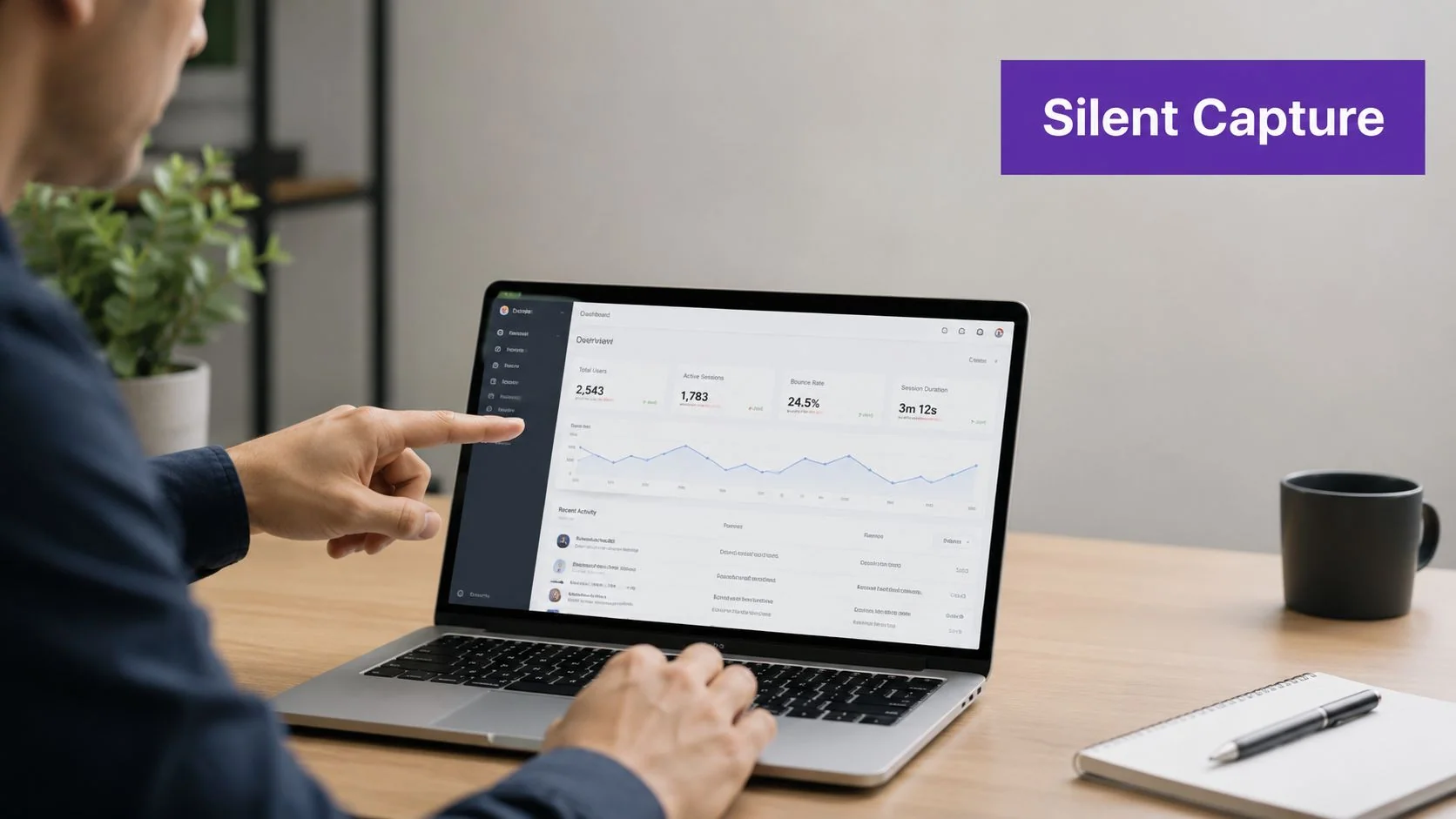
Why silent capture works better
When subject-matter experts separate actions from explanation, each task gets easier.
Here’s the side-by-side trade-off:
| Approach | What usually happens | Best use |
|---|---|---|
| Narrate while clicking | More rambling, pauses, retakes, and uneven pacing | Fast informal updates |
| Silent capture plus post narration | Cleaner screen flow, fewer verbal stumbles, easier corrections | Onboarding, SOPs, support, training |
The quality of an onboarding video is largely determined during post-recording optimization. A YouTube tutorial on text-based editing and onboarding video optimization notes that removing mistakes from recorded footage instead of re-recording can reduce new hire confusion by 40% and cut production time by 35%.
That lines up with what training teams experience in practice. Once you stop forcing people to think, click, explain, and perform all at once, the raw material improves immediately.
A simple recording routine for SMEs
I coach SMEs to record in this order:
- Run the process for a dry run once. Don’t worry about audio. Just execute the task cleanly.
- Redo individual sections if needed. It’s easier to replace one sequence than restart a whole take.
- Read the script as separate narration. Focus on pacing and clarity, not clicking.
- Mark any moments that need emphasis. Cursor highlights, zooms, and captions can be added later.
This also avoids a common problem with casual screen recorders like Loom. They’re great for speed, but many recordings end up much longer than necessary because the speaker leaves in every false start and verbal detour. An editable script is a better foundation when the content needs to stay in your onboarding program for months.
If viewers need to learn a real product or internal tool, they need the real screen and the real voice. Synthetic avatar videos are fine for some announcements, but they’re the wrong fit for UI-heavy onboarding.
Where this approach fits best
The silent workflow is especially strong for:
- Product demos shown to internal teams before launch
- Customer onboarding modules reused by support and success teams
- Help-center and knowledge-base videos paired with written instructions
- Internal SOPs where every step has to be shown clearly
- Sales enablement walkthroughs that explain screens, sequences, and handoffs
It’s a small change in method, but it removes the pressure that makes non-producers sound uncomfortable on camera and unstructured in recordings.
Assembling and Polishing with AI Editing
The old editing bottleneck was simple. SMEs could record the content, but someone else had to turn it into something watchable.
That’s where modern editing workflows have changed the economics. The traditional process for a professional screen recording can take 90 to 180 minutes, while AI-driven workflows can bring that down to 12 to 33 minutes by automating smart zoom detection, pan animations, and timeline optimization, according to Pointerful’s comparison of traditional and AI-assisted workflows.
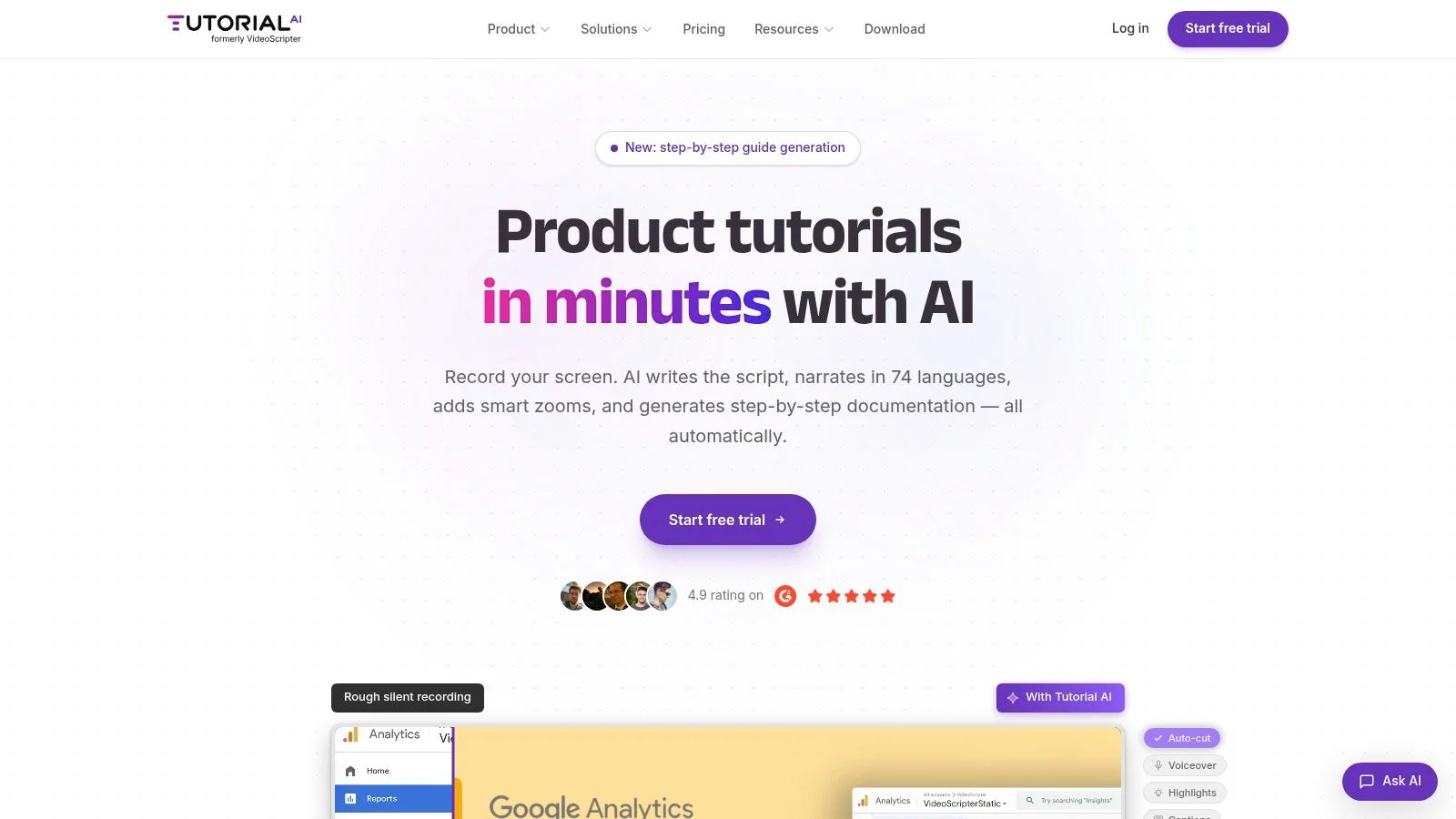
What good automation should actually do
For employee onboarding videos, the useful automation isn’t flashy. It handles repetitive editing work that slows production down:
- AutoRetime adjusts pacing and cuts so the walkthrough feels tight instead of hesitant.
- Text-based editing lets the editor change the script and update the video by editing words, not a timeline.
- Brand Kits keep fonts, colors, logos, and slides consistent across departments.
- Document generation turns one recording into both a tutorial video and a written article.
- Narration in 74 languages supports localization without rebuilding the whole asset.
That last point matters more than is often realized. If the same onboarding flow has to serve multiple regions, editing one master recording into both video and documentation saves a huge amount of duplicated effort.
Why this is different from classic editing software
Adobe Premiere Pro, Camtasia, and Final Cut are capable tools. They’re also built for people who don’t mind timelines, layers, keyframes, and manual cleanup. Many HR, enablement, and L&D teams don’t have that skill set in-house.
Modern platforms make a different bet. They assume the subject-matter expert should stay close to the script and the content, while the software handles the mechanical polish.
Here’s the practical difference:
| Tool category | Strength | Trade-off |
|---|---|---|
| Casual screen recorders | Fast to capture | Recordings often run long and need cleanup |
| Traditional editors | Deep control | Require editing skill and more time |
| Synthetic avatar tools | Useful for presenter-style narration | Weak fit when learners must see the actual UI |
| Script-driven tutorial tools | Tight pacing and polished walkthroughs from real screen plus real voice | Best when content is process-based |
For teams that also generate written training materials, this matters twice. One screen recording can become a polished tutorial and a support article in the same workflow. That’s one reason some teams review tools that can make generated text sound more natural after editing. If you’re refining voice and tone in accompanying docs, Lumi Humanizer for human-like AI is one example of the kind of utility teams use in that QA step.
A walkthrough of how to create training videos with AI is worth reviewing if you want to see how script-led editing changes the process from “edit clips” to “edit meaning.”
Later in the workflow, this kind of output is what teams aim for:
The bar isn’t cinema
The target is simple. A new hire should be able to watch the video once, follow along without confusion, and find the related article when they need a refresher.
That’s polished enough.
Localizing and Distributing for Global Teams
An onboarding video only works if people can access it where they work and in a language they understand. For distributed companies, distribution design matters almost as much as content design.
The scalable approach is to create one master walkthrough, then adapt it for local use without rebuilding the entire asset set from scratch. That means planning for captions, translated narration, secure access, and where the content will live.
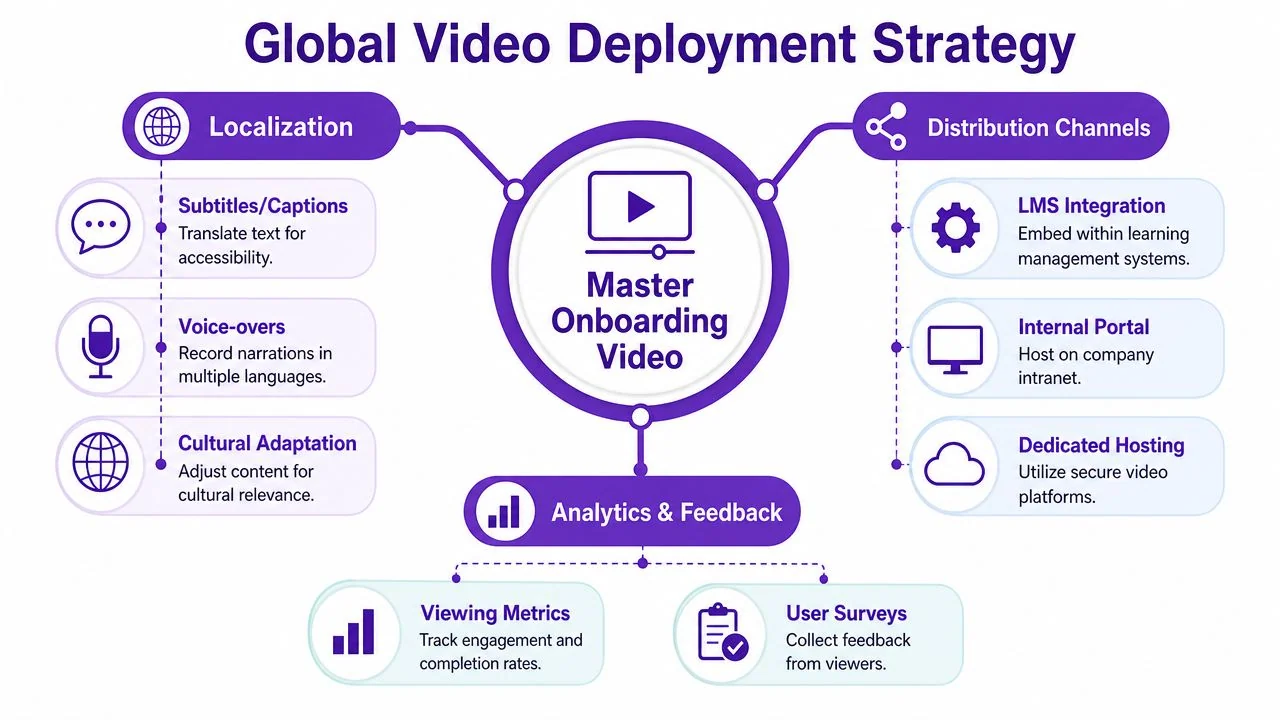
Build from one source, not many copies
Modern tutorial platforms present a clear advantage over piecemeal workflows. If a system supports narration in 74 languages, a Multilingual Player, and AutoRetime, you can keep one source recording and regenerate voiceover, captions, and timing for different audiences without manually rebuilding every scene.
That’s a practical requirement for large organizations. Enterprises such as Bosch, Deutsche Bahn, Intesa Sanpaolo, Microsoft, and UNICEF don’t need more one-off files. They need controlled, repeatable delivery across regions and teams.
A strong localization workflow usually includes:
- Language adaptation. Translate captions and narration, then review terminology with a local SME.
- Cultural review. Check examples, date formats, and references that may not travel well.
- Access controls. Use SSO/SAML where onboarding content needs secure employee access.
- Compliance checks. Confirm hosting and sharing practices align with SOC 2 and GDPR requirements.
Localization fails when teams translate words but ignore workflow context. The labels on screen, the examples, and the next-step links all need to make sense locally.
Put videos where work already happens
A great onboarding asset hidden in the wrong system won’t get used. Distribute content into the systems employees already open every day.
Good placements include:
- LMS modules for formal completion tracking
- Knowledge bases for self-serve refreshers
- Intranet hubs for HR and IT orientation
- Embedded help articles for process-specific support
- Manager playbooks for role-based handoffs
The strongest pattern is to pair the video with a written article and a clear next action. That’s especially effective for help-center, support article, and internal training use cases, because people can watch the flow once and skim the article later.
If localization is a near-term priority, this guide to best AI video dubbing is a good reference point for evaluating how multilingual delivery works in practice.
Keep governance simple
Global distribution gets messy fast when ownership is vague. Every onboarding asset should have:
- An owner who approves updates
- A review cadence tied to product, HR, or policy changes
- A version label visible to viewers
- A retirement rule for outdated content
That’s how a video library stays usable instead of turning into an archive nobody trusts.
Measuring Success and Building a Content Library
Organizations frequently stop measuring too early. They publish the video, look at a view count, and move on. That’s not enough.
There’s a clear opportunity here. 72% of employees say video training enhances onboarding, but only 23% of organizations use video during hiring, according to Brightcove’s onboarding video analysis. The advantage doesn’t come from posting a few welcome clips. It comes from treating video as an operational asset that can be measured, improved, and reused.
Track behavior, not just plays
A useful measurement stack looks at what viewers do:
- Completion rates show whether the module is the right length and structure.
- Drop-off points show where attention falls apart or instructions get confusing.
- Repeated rewatches often indicate a step that needs a clearer explanation.
- Follow-up questions reveal missing context the video didn’t answer.
- Manager and learner feedback helps separate content gaps from delivery issues.
Those signals tell you which videos deserve revision first. In most libraries, a small number of modules create most of the confusion because they sit at critical moments like account setup, first-week tooling, or approval workflows.
A low completion rate doesn’t always mean the video is bad. Sometimes it means the viewer got what they needed early. Check the task outcome before you rewrite the content.
Build once, publish twice
The best efficiency gain in modern onboarding production isn’t only faster editing. It’s content reuse.
When one screen recording generates both a video and a written article, you create a more durable training system. New hires can watch the walkthrough during onboarding, then return to the article later through the knowledge base. Support, enablement, and operations teams can use the same source asset without re-explaining the process from scratch.
That’s how a library grows intelligently. Not as a pile of disconnected files, but as a linked set of videos, articles, SOPs, and support references built from the same recorded knowledge.
Over time, that changes the role of onboarding content. It stops being a one-time event and becomes part of the company’s operating memory.
If your team wants a faster way to create polished employee onboarding videos without learning timeline editing, Tutorial AI is built for that workflow. It turns a single screen recording and spoken narration into an edited tutorial video that looks professionally produced, then generates a matching written article from the same recording. That makes it practical for subject-matter experts to create onboarding, SOP, help-center, customer education, and sales enablement content in one pass, then localize and publish it at scale.